SwiftPM中使用CoreData在SwiftUI进行Preview的小纸条

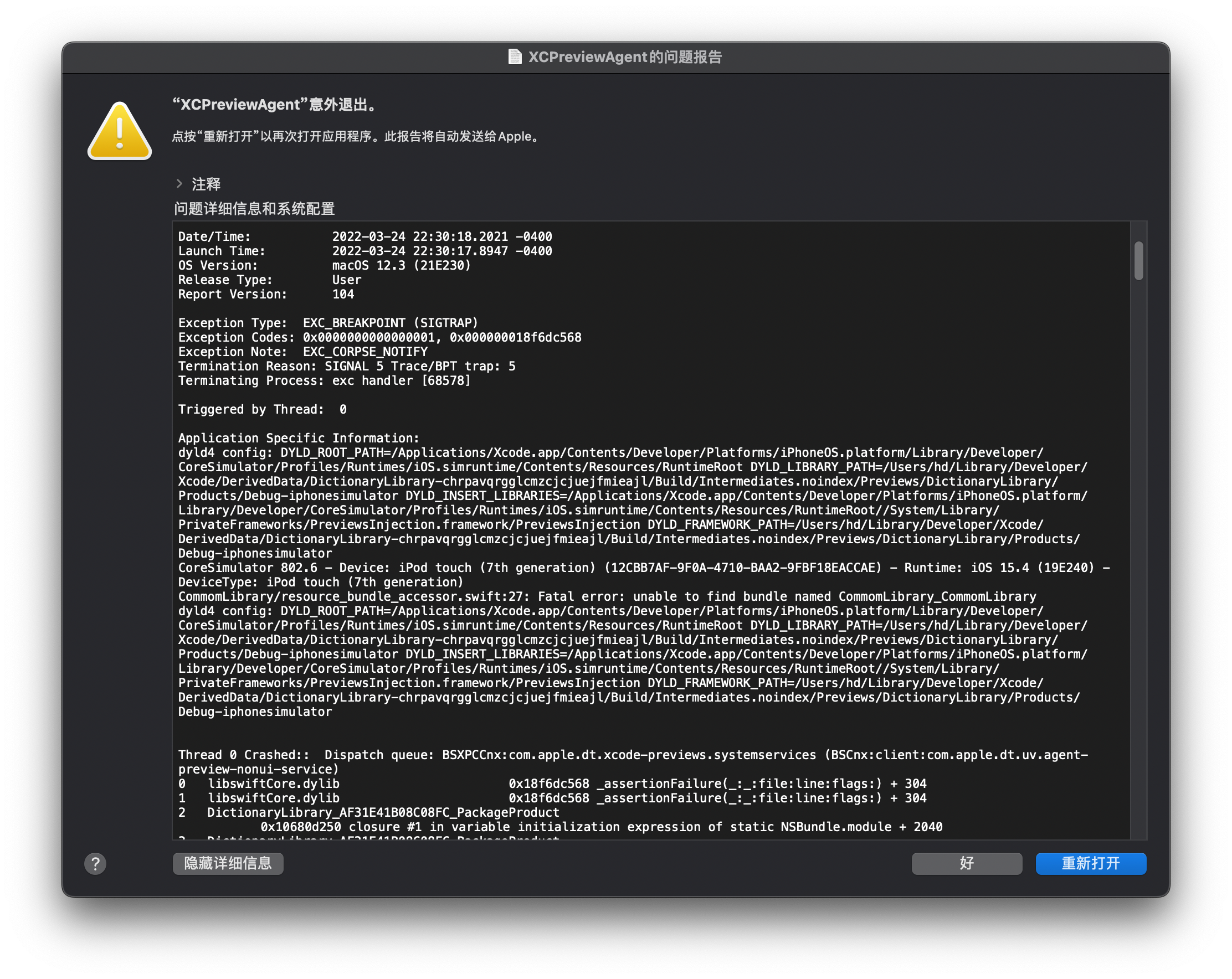
使用SwiftPM重构英语小助手一段时间了,遇到了一个问题,就是在SwiftUI里使用一个在SwiftPM中定义的CoreData时,如果进行Preview就会直接挂掉。这是它的提示信息:
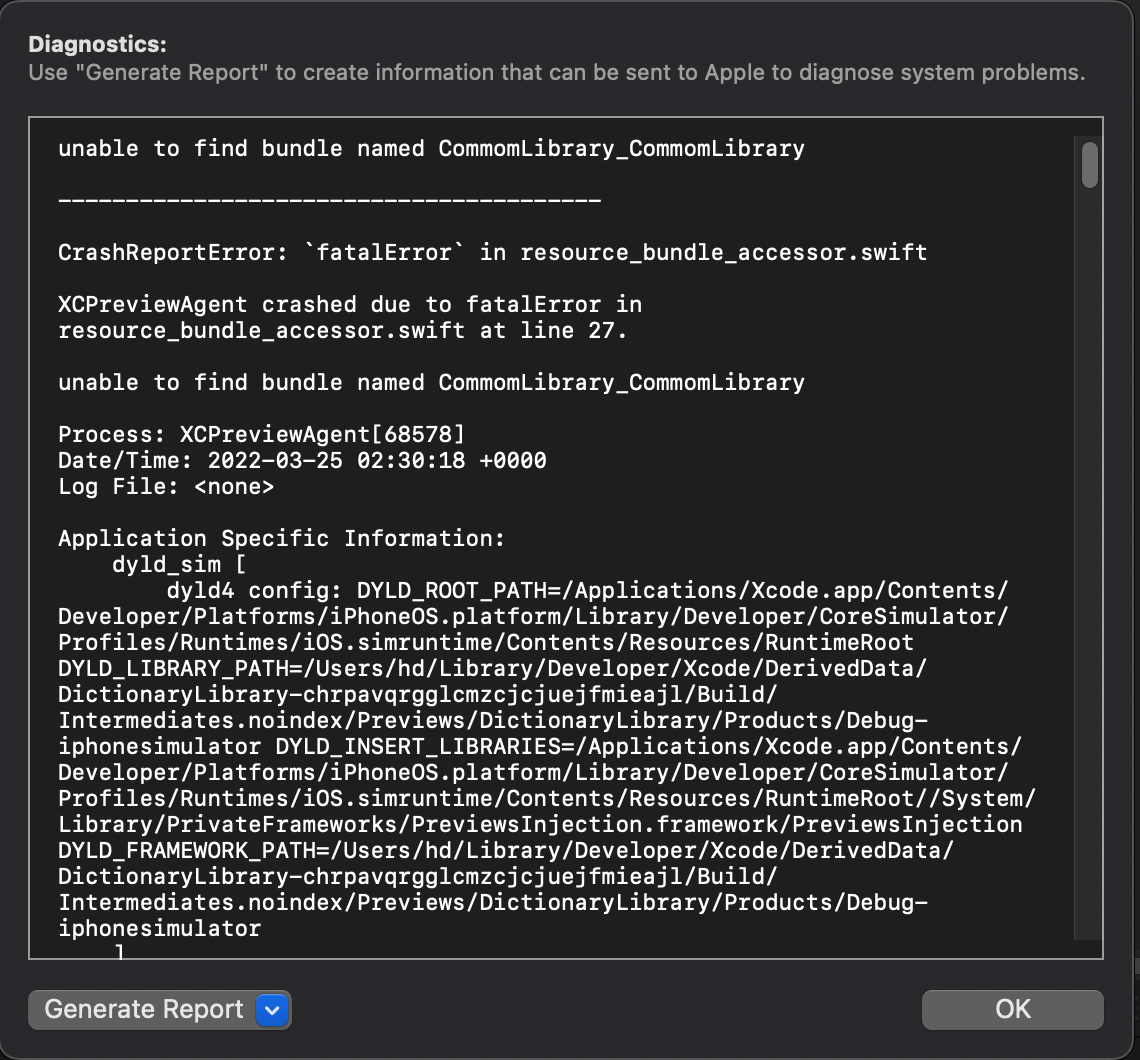
如果点Preview中的Diagnostics按钮会得到这样的信息:
这是我在CoreData中对于加载数据的定义代码:
class PersistentContainer: NSPersistentContainer {
    init(name: String, bundle: Bundle = .module,
        inMemory: Bool = false) {
        guard let mom = NSManagedObjectModel.mergedModel(from: [bundle]) else {
          fatalError("Failed to create mom")
        }
        super.init(name: name, managedObjectModel: mom)
      }
}
如果不使用SwiftUI进行Preview它的工作完全正常。所以我从来没有认真的想过这个.module是如何工作的。在苹果的官方文档里,我也没有找到这个.module的定义,哪么它会是在哪里定义的呢?于是我发现了SwiftPM会在你需要访问资源时自动生成一个resource_bundle_accessor.swift文件,内容如下:
import class Foundation.Bundle

private class BundleFinder {}

extension Foundation.Bundle {
    /// Returns the resource bundle associated with the current Swift module.
    static var module: Bundle = {
        let bundleName = "CommomLibrary_CommomLibrary"

        let candidates = [
            // Bundle should be present here when the package is linked into an App.
            Bundle.main.resourceURL,

            // Bundle should be present here when the package is linked into a framework.
            Bundle(for: BundleFinder.self).resourceURL,

            // For command-line tools.
            Bundle.main.bundleURL,
        ]

        for candidate in candidates {
            let bundlePath = candidate?.appendingPathComponent(bundleName + ".bundle")
            if let bundle = bundlePath.flatMap(Bundle.init(url:)) {
                return bundle
            }
        }
        fatalError("unable to find bundle named CommomLibrary_CommomLibrary")
    }()
}
所以这个.module其实就是通过一个空的class以及你的bundleName来找到可以加载的Bundle的位置。而SwiftUI在进行Preview时模拟器这些路径有些变化,而生成的代码在几千工程师工作的时候根本没有想到你变了而我没想过要将CoreData放在SwiftPM里还要去被SwiftUI进行Preview的变化。找了很久,发现在stackoverflow上的这个线索参考这个,我修改了一下代码,形成了这个extension Foundation.Bundle:
import Foundation

import class Foundation.Bundle

private class CurrentBundleFinder {}

extension Foundation.Bundle {
    /// Returns the resource bundle associated with the current Swift module.
    static var swiftUIPreviewsCompatibleModule: Bundle = {
#if DEBUG
        let bundleNameIOS = "LocalPackages_CommomLibrary"
        let bundleNameMacOs = "CommomLibrary_CommomLibrary"

        let candidates = [
            // Bundle should be present here when the package is linked into an App.
            Bundle.main.resourceURL,

            // Bundle should be present here when the package is linked into a framework.
            Bundle(for: CurrentBundleFinder.self).resourceURL,

            // For command-line tools.
            Bundle.main.bundleURL,

            // Bundle should be present here when running previews from a different package (this is the path to "…/Debug-iphonesimulator/").
            Bundle(for: CurrentBundleFinder.self).resourceURL?.deletingLastPathComponent().deletingLastPathComponent()
                .deletingLastPathComponent(),
            Bundle(for: CurrentBundleFinder.self).resourceURL?.deletingLastPathComponent().deletingLastPathComponent(),
        ]

        for candidate in candidates {
            let bundlePathiOS = candidate?.appendingPathComponent(bundleNameIOS + ".bundle")
            let bundlePath = candidate?.appendingPathComponent(bundleNameMacOs + ".bundle")

            if let bundle = bundlePath.flatMap(Bundle.init(url:)) {
                return bundle
            }else if let bundle = bundlePathiOS.flatMap(Bundle.init(url:)){
                return bundle
            }
        }
        fatalError("unable to find bundle named LocalPackages_CommomLibrary")
#else
        return Bundle.module
#endif
    }()
}
考虑到在生产环境还会使用SwiftPM生成的Bundle.module,而在Debug时使用我们的代码。最后,把加载NSManagedObjectModel的代码做一下修改:
class PersistentContainer: NSPersistentContainer {
    init(name: String, bundle: Bundle = .swiftUIPreviewsCompatibleModule,
        inMemory: Bool = false) {
        guard let mom = NSManagedObjectModel.mergedModel(from: [bundle]) else {
          fatalError("Failed to create mom")
        }
        super.init(name: name, managedObjectModel: mom)
      }
}
Preview运行正常了。


